
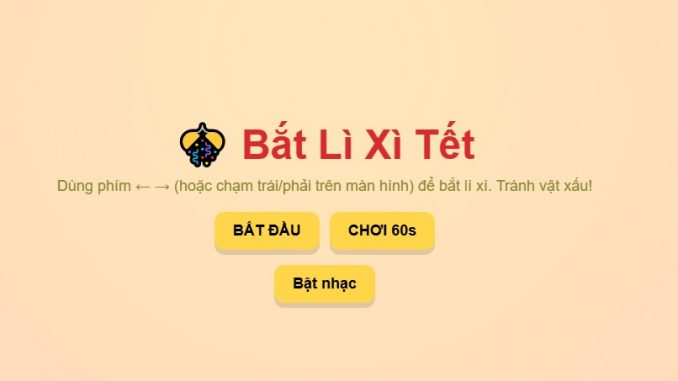
 NHỜ AI LÀM GIÙM… VÀ CÓ MINI GAME LÌ XÌ LUÔN NÈ!
 Tết sắp tới rồi, mình nổi hứng nhờ AI làm giúp một cái mini game nhỏ nhỏ cho vui. Ai ngờ… nó làm thiệt! 
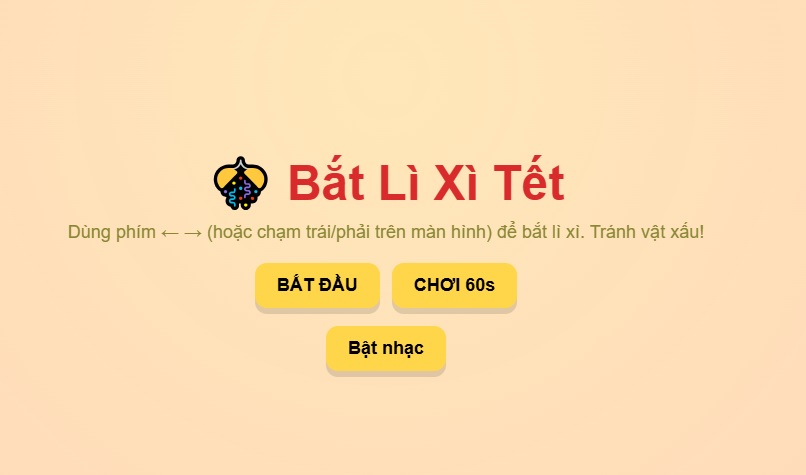
 Mini game: Nhận Bao Lì Xì
Nhiệm vụ đơn giản: điều khiển nhân vật chạy qua chạy lại để hứng bao lì xì rơi xuống. Hứng đúng → được điểm. Hứng trượt → buồn nhưng chơi lại 
Điều khiển bằng phím, tốc độ chạy siêu nhanh luôn cho kịp hứng lì xì Tết!
Nhìn vui phết nên mình share cho mọi người cùng thử.
 Chơi thử tại đây: aidanang.com/minigame.php
(Đừng trách nếu nghiện nha  )
)
)Chúc cả nhà cuối năm vui vẻ, kiếm được nhiều bao lì xì… trong game và ngoài đời luôn! 
Mã nguồn minigame:
<!DOCTYPE html>
<html lang=”vi”>
<head>
<meta charset=”UTF-8″>
<title>Game Bắt Lì Xì Tết</title>
<meta name=”viewport” content=”width=device-width,initial-scale=1″>
<style>
:root{
–red:#d92b2b;
–gold:#ffd54a;
–bg1:#ffefe6;
–bg2:#fff7e6;
}
html,body{height:100%;margin:0;font-family:Arial,Helvetica,sans-serif}
body{
background: linear-gradient(180deg,var(–bg1),var(–bg2));
overflow:hidden;
}
/* MENU */
#menu{
position:fixed;inset:0;display:flex;align-items:center;justify-content:center;
background:radial-gradient(circle at 50% 30%, rgba(255,230,180,0.9), rgba(255,200,180,0.85));
flex-direction:column;z-index:50;
}
#menu h1{font-size:48px;margin:0 0 10px;color:var(–red)}
#menu p{margin:0 0 20px;color:#883; font-size:18px}
.btn{
padding:12px 22px;border-radius:12px;border:none;background:var(–gold);font-weight:700;font-size:18px;cursor:pointer;
box-shadow:0 6px 0 rgba(0,0,0,0.12);
}
.btn:active{transform:translateY(2px);box-shadow:0 4px 0 rgba(0,0,0,0.08)}
/* GAME AREA */
#game-area{position:fixed;inset:0;display:none;overflow:hidden}
#sky{
position:absolute;inset:0;background:
radial-gradient(circle at 10% 10%, rgba(255,230,200,0.6), transparent 10%),
radial-gradient(circle at 90% 20%, rgba(255,220,180,0.6), transparent 12%),
linear-gradient(180deg,#fff 0%,#fff6e6 100%);
z-index:0;
}
/* Decorative top banner (mai đào) */
#top-banner{
position:absolute;left:0;right:0;top:0;height:120px;pointer-events:none;z-index:5;
display:flex;align-items:center;justify-content:space-between;padding:10px 30px;
}
#top-banner .left, #top-banner .right{display:flex;gap:8px;align-items:center}
.flower{
width:44px;height:44px;border-radius:50%;
background:linear-gradient(135deg,#fff 0%, #ffdfe6 60%);
display:flex;align-items:center;justify-content:center;box-shadow:0 3px 6px rgba(0,0,0,0.08)
}
/* HUD */
#hud{position:absolute;top:10px;left:10px;z-index:10;display:flex;gap:12px;align-items:center}
.hud-box{background:rgba(0,0,0,0.5);color:white;padding:8px 12px;border-radius:10px;font-weight:700}
/* player (svg) */
#player{
position:absolute;bottom:18px;left:50%;transform:translateX(-50%);
width:90px;height:90px;z-index:20;
}
/* falling items */
.item{
position:absolute;width:56px;height:72px;border-radius:8px;z-index:15;
display:flex;align-items:center;justify-content:center;font-weight:800;color:white;
box-shadow:0 6px 12px rgba(0,0,0,0.12);
user-select:none;
}
.lixi{
background:linear-gradient(180deg,#f93,#e33);
border:3px solid rgba(255,255,255,0.12);
}
.bad{
background:linear-gradient(180deg,#555,#222);
border:3px solid rgba(255,255,255,0.06);
}
/* firework particle */
.particle{
position:absolute;width:12px;height:12px;border-radius:50%;z-index:30;pointer-events:none;
}
/* footer controls */
#controls{position:fixed;right:12px;bottom:12px;z-index:60;display:flex;flex-direction:column;gap:8px}
.small-btn{padding:8px 10px;border-radius:8px;border:none;background:var(–gold);font-weight:700;cursor:pointer}
#note{position:fixed;left:10px;bottom:10px;color:#a33;font-weight:600;opacity:0.9}
/* responsive */
@media (max-width:600px){
#menu h1{font-size:34px}
#player{width:72px;height:72px}
.item{width:44px;height:62px}
}
</style>
</head>
<body>
<!– MENU –>
<div id=”menu”>
<h1>🎊 Bắt Lì Xì Tết</h1>
<p>Dùng phím ← → (hoặc chạm trái/phải trên màn hình) để bắt lì xì. Tránh vật xấu!</p>
<div style=”display:flex;gap:12px”>
<button class=”btn” onclick=”startGame()”>BẮT ĐẦU</button>
<button class=”btn” onclick=”startGame(60)”>CHƠI 60s</button>
</div>
<div style=”margin-top:18px”>
<button class=”btn” onclick=”toggleMusic()” id=”menu-music”>Bật nhạc</button>
</div>
</div>
<!– GAME AREA –>
<div id=”game-area” aria-hidden=”true”>
<div id=”sky”></div>
<div id=”top-banner”>
<div class=”left”>
<div class=”flower”>🌸</div>
<div class=”flower”>🌼</div>
<div class=”flower”>🌺</div>
</div>
<div class=”right”>
<div style=”font-size:22px;color:var(–red);font-weight:800″>Chào mừng năm mới!</div>
</div>
</div>
<div id=”hud” aria-hidden=”false”>
<div class=”hud-box” id=”scoreBox”>Điểm: 0</div>
<div class=”hud-box” id=”timerBox”>⏳ 30</div>
<div class=”hud-box” id=”highBox”>Kỷ lục: 0</div>
</div>
<!– player SVG (inline, không cần file) –>
<div id=”player” aria-label=”Người chơi”>
<svg viewBox=”0 0 120 120″ width=”100%” height=”100%” xmlns=”http://www.w3.org/2000/svg”>
<!– hat –>
<ellipse cx=”60″ cy=”32″ rx=”42″ ry=”18″ fill=”#c62828″/>
<rect x=”30″ y=”28″ width=”60″ height=”18″ rx=”8″ fill=”#ffcc00″/>
<!– face –>
<circle cx=”60″ cy=”64″ r=”26″ fill=”#ffd7b0″ stroke=”#e3a66a” stroke-width=”1″/>
<!– eyes –>
<circle cx=”50″ cy=”60″ r=”3″ fill=”#333″/>
<circle cx=”70″ cy=”60″ r=”3″ fill=”#333″/>
<!– smile –>
<path d=”M48 74 Q60 84 72 74″ stroke=”#b35″ stroke-width=”3″ fill=”none” stroke-linecap=”round”/>
<!– body –>
<rect x=”36″ y=”86″ width=”48″ height=”20″ rx=”10″ fill=”#d32″/>
<!– hands –>
<rect x=”22″ y=”86″ width=”14″ height=”8″ rx=”4″ fill=”#d32″/>
<rect x=”84″ y=”86″ width=”14″ height=”8″ rx=”4″ fill=”#d32″/>
</svg>
</div>
<!– container for dynamic items –>
<div id=”items-root”></div>
<!– small note –>
<div id=”note”>Nếu nhạc không tự bật, bấm “Bật/Tắt nhạc”.</div>
<!– controls –>
<div id=”controls”>
<button class=”small-btn” onclick=”toggleMusic()” id=”musicBtn”>Bật/Tắt nhạc</button>
<button class=”small-btn” onclick=”pauseResume()” id=”pauseBtn”>Tạm dừng</button>
</div>
</div>
<!– audio (small built-in chime base64 short clip) –>
<audio id=”music” loop>
<!– short gentle chime (base64 wav, ~0.5s) –>
<source src=”data:audio/wav;base64,UklGRlQAAABXQVZFZm10IBAAAAABAAEAESsAACJWAAACABAAZGF0YQAAAAA=” type=”audio/wav”>
<!– empty fallback; user can still use toggle button –>
</audio>
<script>
/* GAME LOGIC – không dùng ảnh bên ngoài */
const menu = document.getElementById(‘menu’);
const gameArea = document.getElementById(‘game-area’);
const player = document.getElementById(‘player’);
const itemsRoot = document.getElementById(‘items-root’);
const scoreBox = document.getElementById(‘scoreBox’);
const timerBox = document.getElementById(‘timerBox’);
const highBox = document.getElementById(‘highBox’);
const music = document.getElementById(‘music’);
let score = 0;
let timeLeft = 30;
let playing = false;
let dropInterval = null;
let countdownInterval = null;
let highScore = parseInt(localStorage.getItem(‘tetHighScore’) || ‘0’);
highBox.innerText = ‘Kỷ lục: ‘ + highScore;
let playerX = window.innerWidth/2;
const playerWidth = 90;
const speed = 30;
// set initial player
function updatePlayer(){
// clamp
if(playerX < 10) playerX = 10;
if(playerX > window.innerWidth – playerWidth – 10) playerX = window.innerWidth – playerWidth – 10;
player.style.left = playerX + ‘px’;
}
updatePlayer();
// touch controls for mobile: tap left/right halves
document.addEventListener(‘touchstart’, (e)=>{
if(!playing) return;
const x = e.touches[0].clientX;
if(x < window.innerWidth/2) playerX -= speed; else playerX += speed;
updatePlayer();
});
// keyboard controls
document.addEventListener(‘keydown’, (e)=>{
if(!playing) return;
if(e.key === ‘ArrowLeft’) playerX -= speed;
if(e.key === ‘ArrowRight’) playerX += speed;
updatePlayer();
});
// start game (duration optional)
function startGame(duration){
const dur = duration || 30;
menu.style.display = ‘none’;
gameArea.style.display = ‘block’;
playing = true;
score = 0;
timeLeft = dur;
scoreBox.innerText = ‘Điểm: ‘ + score;
timerBox.innerText = ‘⏳ ‘ + timeLeft;
updatePlayer();
try{ music.play(); }catch(e){ /* muted by browser */ }
dropInterval = setInterval(spawnItem, 800);
countdownInterval = setInterval(()=>{
timeLeft–;
timerBox.innerText = ‘⏳ ‘ + timeLeft;
if(timeLeft <= 0) endGame();
},1000);
}
// spawn item (lixi or bad)
function spawnItem(){
if(!playing) return;
const el = document.createElement(‘div’);
const isBad = Math.random() < 0.22; // 22% bad
el.classList.add(‘item’);
el.classList.add(isBad ? ‘bad’:’lixi’);
// content: draw stylized emoji/text inside
if(!isBad){
el.innerText = ‘Lì xì’;
el.style.fontSize = ’12px’;
el.style.textAlign = ‘center’;
el.style.lineHeight = ’14px’;
} else {
// show different bad icons randomly
const badType = Math.random();
if(badType < 0.4) el.innerText = ‘💣’;
else if(badType < 0.75) el.innerText = ‘🧅’;
else el.innerText = ‘👞’;
el.style.fontSize = ’26px’;
}
// start left position
const left = Math.random()*(window.innerWidth – 80);
el.style.left = left + ‘px’;
el.style.top = ‘-90px’;
itemsRoot.appendChild(el);
// random fall speed
const fallSpeed = 2 + Math.random()*3;
// animate via requestAnimationFrame
function fall(){
if(!playing || !document.body.contains(el)){
if(el && el.parentElement) el.remove();
return;
}
const top = parseFloat(el.style.top);
el.style.top = (top + fallSpeed) + ‘px’;
// collision detection with player
const itemRect = el.getBoundingClientRect();
const playerRect = player.getBoundingClientRect();
if(itemRect.bottom >= playerRect.top && itemRect.left < playerRect.right && itemRect.right > playerRect.left){
// caught
if(isBad){
score -= 2;
if(score < 0) score = 0;
// small shake effect
player.animate([{transform:’translateY(0)’},{transform:’translateY(-6px)’},{transform:’translateY(0)’}],{duration:200});
} else {
score += 1;
spawnFirework(itemRect.left + itemRect.width/2, itemRect.top + itemRect.height/2);
}
scoreBox.innerText = ‘Điểm: ‘ + score;
el.remove();
return;
}
// remove if below screen
if(top > window.innerHeight + 40){
el.remove();
return;
}
requestAnimationFrame(fall);
}
fall();
}
// small firework particles (CSS DOM)
function spawnFirework(x,y){
for(let i=0;i<8;i++){
const p = document.createElement(‘div’);
p.classList.add(‘particle’);
p.style.left = (x – 6) + ‘px’;
p.style.top = (y – 6) + ‘px’;
// random color from festive palette
const colors = [‘#ffd54a’,’#ff7043′,’#ffb74d’,’#f06292′,’#aed581′];
p.style.background = colors[Math.floor(Math.random()*colors.length)];
document.body.appendChild(p);
// animate with JS
const angle = Math.random()*Math.PI*2;
const dist = 30 + Math.random()*50;
const dx = Math.cos(angle)*dist;
const dy = Math.sin(angle)*dist;
p.animate([
{transform:’translate(0,0)’, opacity:1},
{transform:`translate(${dx}px,${dy}px)`, opacity:0}
],{duration:500+Math.random()*400,easing:’ease-out’});
setTimeout(()=>p.remove(),900);
}
}
// end game
function endGame(){
playing = false;
clearInterval(dropInterval);
clearInterval(countdownInterval);
try{ music.pause(); music.currentTime = 0; }catch(e){}
// update highscore
if(score > highScore){
highScore = score;
localStorage.setItem(‘tetHighScore’, highScore);
}
alert(‘🎉 Hết giờ!\nĐiểm: ‘ + score + ‘\nKỷ lục: ‘ + highScore);
// reload to reset
location.reload();
}
// pause/resume
function pauseResume(){
if(!playing) return;
if(dropInterval){
// pause
clearInterval(dropInterval);
clearInterval(countdownInterval);
dropInterval = null;
countdownInterval = null;
document.getElementById(‘pauseBtn’).innerText = ‘Tiếp tục’;
playing = false;
} else {
// resume (use remaining timeLeft)
playing = true;
dropInterval = setInterval(spawnItem,800);
countdownInterval = setInterval(()=>{
timeLeft–;
timerBox.innerText = ‘⏳ ‘ + timeLeft;
if(timeLeft <= 0) endGame();
},1000);
document.getElementById(‘pauseBtn’).innerText = ‘Tạm dừng’;
}
}
// music toggle (menu)
function toggleMusic(){
try{
if(music.paused){
music.play();
document.getElementById(‘musicBtn’).innerText = ‘Tắt nhạc’;
const mm = document.getElementById(‘menu-music’);
if(mm) mm.innerText = ‘Tắt nhạc’;
} else {
music.pause();
document.getElementById(‘musicBtn’).innerText = ‘Bật nhạc’;
const mm = document.getElementById(‘menu-music’);
if(mm) mm.innerText = ‘Bật nhạc’;
}
}catch(e){
// ignore
}
}
// helper: when menu music button clicked but no audio source, just toggle text
document.getElementById(‘menu-music’).addEventListener(‘click’, toggleMusic);
// ensure player stays within bounds on resize
window.addEventListener(‘resize’, ()=> {
if(playerX > window.innerWidth – playerWidth) playerX = window.innerWidth – playerWidth – 10;
updatePlayer();
});
</script>
</body>
</html>

Be the first to comment